
Introduction to Google Business Profiles: For Complete Beginners
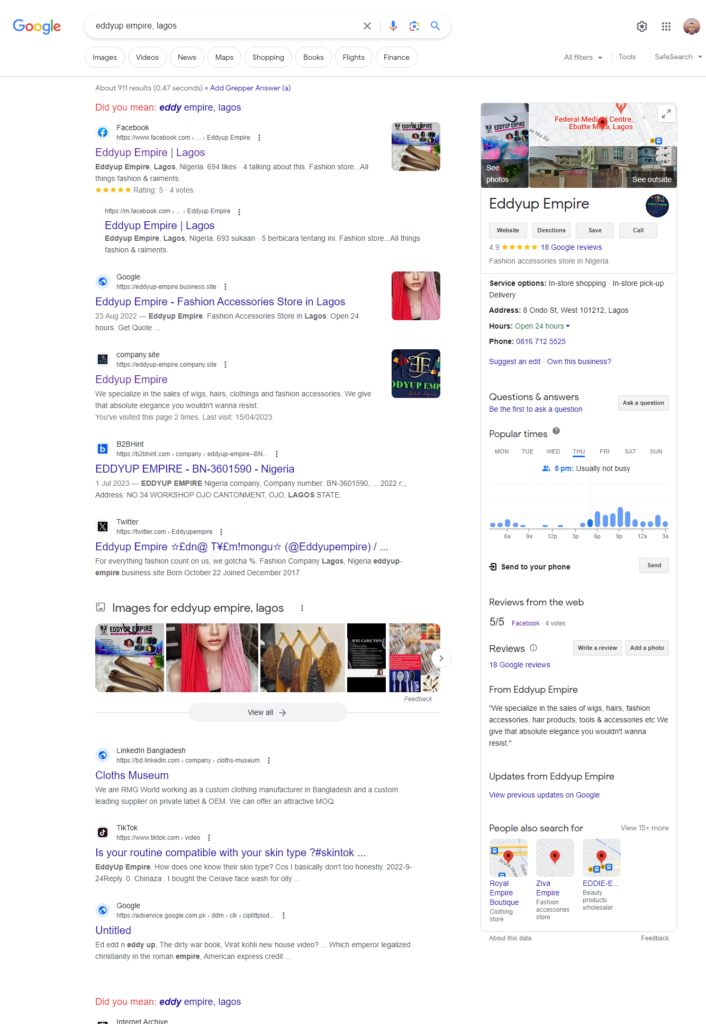
In the vast landscape of online business, a Google Business Profile is your digital storefront. It’s the first thing potential customers see when they search for your business on Google. Think of it as your virtual handshake with the world, introducing your business and providing crucial information like your hours, location, and contact details.
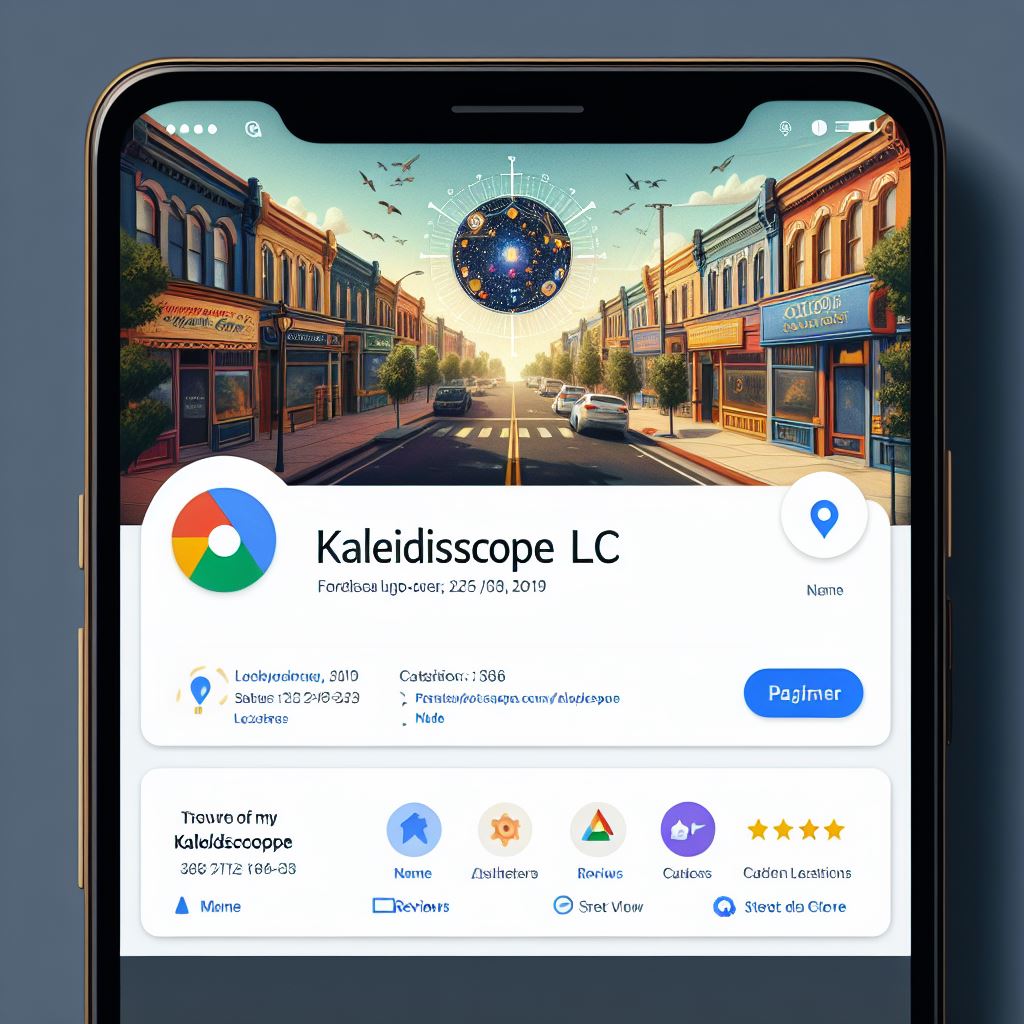
Google Business Profile: Your Free Ticket to Online Visibility
Think of your business as a charming little shop tucked away on a side street. Google Business Profile (GBP) is like putting a neon sign above it, flashing “Open for Business!” to the whole world. But wait, there’s more! It’s not just a sign; it’s a whole digital storefront, packed with information that draws in customers and helps them find you easily.
Why Should You Care About Google Business Profile?
- Boost Your Visibility: GBP puts you on Google Maps and Search, making you discoverable by potential customers searching for businesses like yours.
- Build Trust and Credibility: Show off your best side with photos, reviews, and detailed information, giving customers the confidence to choose you.
- Engage with Customers: Respond to reviews, post updates, and answer questions, fostering a connection and building loyalty.
- Track Your Success: GBP provides insights into how people find and interact with your profile, helping you understand what works and what doesn’t.
- Insights and Analytics:
- Understand Your Audience: Get valuable insights into customer behavior and preferences. Track Performance: Monitor how users interact with your profile over time.
Setting Up Your Shop: How To Create Your Google Business Profile
The good news is; Creating a Google Business Profile is a breeze! Just follow these steps listed below:
- Head over to https://www.google.com/business/ and sign in with your Google account.
- Enter your business name and category. Think about what people would likely search for to find you.
- Choose your location and service area. Are you brick-and-mortar, online, or both?
- Fill in your contact details, website, and operating hours. Make sure everything’s accurate and up-to-date.
- Verify your listing. This proves you’re the real deal, and it unlocks all the cool features.
How to Optimize Your Digital Storefront: SEO Tips
Now, let’s make your GBP shine brighter than a disco ball! Here are some SEO tips:
- Complete your profile: The more information you provide, the easier it is for Google to understand your business and show you to the right people.
- Use relevant keywords: Think about the words people would search for to find businesses like yours and incorporate them naturally throughout your profile.
- Post regularly: Share updates, promotions, and engaging content to keep your audience interested and coming back for more.
- Encourage reviews: Positive reviews are like gold stars, attracting new customers. Ask satisfied customers to leave a review, and respond to all reviews, good or bad, professionally and promptly.
FAQs: Your Burning Questions Answered
Q: How do I verify my GBP?
A: Google will offer different ways to verify, like video, phone call, or email. Choose the one that works best for you and follow the instructions.
Q: What information should I include?
A: Everything potential customers need to know! Contact details, website, photos, descriptions of your products or services, operating hours, and even special features like parking or wheelchair accessibility.
Q: Can I add multiple locations?
A: Absolutely! If you have several branches, you can manage them all under one GBP account.
Q: How can I track my performance?
A: GBP offers a handy “Insights” tab that shows you how people find and interact with your profile. You can see things like views, clicks, website visits, and even how many people call you directly from your profile.
Best Practices and Avoiding Common Pitfalls
- Keep your information updated: Nothing screams unprofessional like outdated hours or a closed website.
- Use high-quality photos: Show off your space, products, or team with clear, attractive visuals.
- Respond promptly to reviews: Show customers you care about their feedback.
- Avoid keyword stuffing: Don’t force keywords into your profile; use them naturally and strategically.
Case Studies: Success Stories of Google Business Profile Masters
- Local bakery: Increased walk-in customers by 20% after optimizing their GBP with mouthwatering photos and enticing descriptions.
- Mobile car wash: Booted bookings by 35% by using GBP’s “appointment scheduling” feature and highlighting their flexible service area.
- Yoga studio: Improved brand awareness and local engagement by posting regular class updates and offering virtual sessions through their GBP.
Remember, GBP is a powerful tool waiting to be unleashed! By understanding its potential, optimizing your profile, and engaging with your audience, you can watch your business thrive in the online world.
So, what are you waiting for? Open your digital shop and start attracting customers with the magic of Google Business Profile!
Bonus: How to verify your Google Business Profile without a video upload
You may be wondering if its possible to bypass Google Business Profile video verification. Yes, you can. But before we discuss that, lets throw light into GBP video verification.
Gone are the days of simple postcard verification for Google Business Profiles (GBPs). In their fight against spam accounts, Google has rolled out video verification, requiring some businesses to prove their legitimacy on camera. While this method bolsters trust and discourages impersonators, it hasn’t been without its share of hiccups for small businesses.
Frustrations Faced by Small Businesses:
- Meeting Google’s standards: Capturing the perfect video that adheres to Google’s guidelines can be tricky, leading to delays and rejections.
- Creating concise content: The pressure to pack information into a limited time frame can feel overwhelming.
- Lack of technical expertise: Not everyone has the filming and editing skills needed to produce a polished video.
But wait, there’s hope! Bypassing video verification is possible through:
- Clean slate: Ensure you’re logged out of all other GBP accounts before starting.
- Accurate & Complete Information: Fill out your profile meticulously with relevant details, photos, and descriptions.
- Localize Your Address: Claim your business on local directories and websites linked to your actual location.
- Build Social Proof: Encourage genuine customer reviews and engage with them actively.
Remember: This method isn’t a guaranteed bypass, and Google might still request a video for additional verification. If prompted, follow their instructions carefully.
How to verify your Google Business profile By Video Recording
Video verification is for businesses with a physical storefront, service providers without a physical location, or hybrid businesses.
Before you start
Important: Your video recording shouldn’t include any sensitive information like bank account numbers, tax or identification numbers, any other private information, or show other people’s faces.
Take the time to plan your video. Your video should meet these requirements:
- Unedited, unique, and one continuous recording without breaks.
- Show the location of your business. Capture the official street and number signs, nearby businesses, or the area around your business that shows your business is at the correct Google Maps location.
- For businesses with a physical location, show evidence that your business exists. Capture the storefront, showroom, or business signage.
- For service providers, record equipment or other items related to your business. Capture the products for sale, branded equipment, marketing materials, or tools you use to serve your customers.
- Demonstrate proof of management. You can show that you’re authorized to represent your business by recording employee-only items or areas. Record yourself opening a cash register, accessing a point-of-sale system, unlocking the staff room, kitchen, or storage room.
Submit your video
Step 1: Record and upload your video
Important: Create a plan for what you will show in your video. Make sure it meets the requirements listed above.
- On your mobile device, go to your Business Profile. Learn how to find your profile.
- If you start verification on a computer, to continue on your mobile device, you can scan a QR code.
- Tap Get verified
Capture video.
- Tap Start recording.
- You could be asked to allow access to your camera and microphone. Follow the
on-screen instructions to continue. - Record your video.
- Tap Stop recording
Step 2: Wait for review
After you upload your video, Google will review it. Reviews can take up to 5 business days.
- If you’re verified, you get a notification.
- If the video method doesn’t work, the “Get verified” button shows up. Make sure your video meets all the requirements and try again, or you can try a different verification option if available.
Step 3 (optional): Delete your video
Important: You can delete your video at any time. If you cancel a video upload, both you and Google lose access to the video.
- On your mobile device, go to your Business Profile. Learn how to find your profile.
- At the top right, tap More
- Tap Video uploads

Why Video Verification Matters:
Despite the initial hurdles, video verification plays a crucial role in:
- Combating Spam: Eliminating fake businesses enhances user trust in Google Maps and Search results.
- Leveling the Playing Field: It protects legitimate businesses from unfair competition created by spam accounts.
- Encouraging Transparency: Businesses showcasing their physical presence build credibility and attract customers.
Bonus Tip: As a freelancer on Fiverr or any of the freelancing platform, refuse requests to bypass verification for spam purposes. Upholding the integrity of Google Maps benefits everyone!
So, small businesses, don’t despair! By understanding the reasons behind video verification and following these tips, you can navigate the process smoothly and leverage your GBP to reach new heights. Remember, a genuine and optimized profile speaks volumes about your business, attracting customers and fostering trust in the digital landscape.
Still having problems verifying your Google Business Profile?
We can help you with that. Contact us
Learn how to manage your Google Business Profile effectively
About The Authur

Peter E
Peter is a writer, tech blogger, full-stack web developer and digital marketer
When he is not creating contents, he’s busy creating 3D avatar character animation videos or crafting winning and high-converting Facebook and Google ads for Shopify owners, Woo-commerce store owners, online sellers, start-up founders and business owners.
Click the button below to view Peter’s portfolio and contact him.